
Why Your Website Gets Traffic but No Leads

A busy website that doesn’t convert isn’t a marketing win — it’s an expensive billboard. The problem is almost never the amount of traffic. It’s the gap between arriving and acting.

There’s a particular kind of frustration that shows up once a firm finally gets its marketing working. The analytics look healthy. Visitor numbers are climbing. The SEO is paying off, the ads are running, and the content is landing. And yet the one number that pays the bills — qualified inquiries — barely moves.

It’s a confusing place to be, because every instinct says get more traffic. So firms spend more on ads and publish more content, pouring water into a bucket without noticing the hole in the bottom. More traffic to a site that doesn’t convert just means a more expensive way to lose the same percentage of visitors.

The uncomfortable truth is that traffic is a vanity metric. The real question was never “how many people came?” It’s “how many people did we give a clear, compelling reason to act?” That’s a design and strategy problem, not a volume problem — and it’s almost always fixable.

The conversion gap, diagnosed

When a site gets visitors but no leads, the cause is usually one or more of seven specific failures. Read these as a diagnostic checklist for your own site.

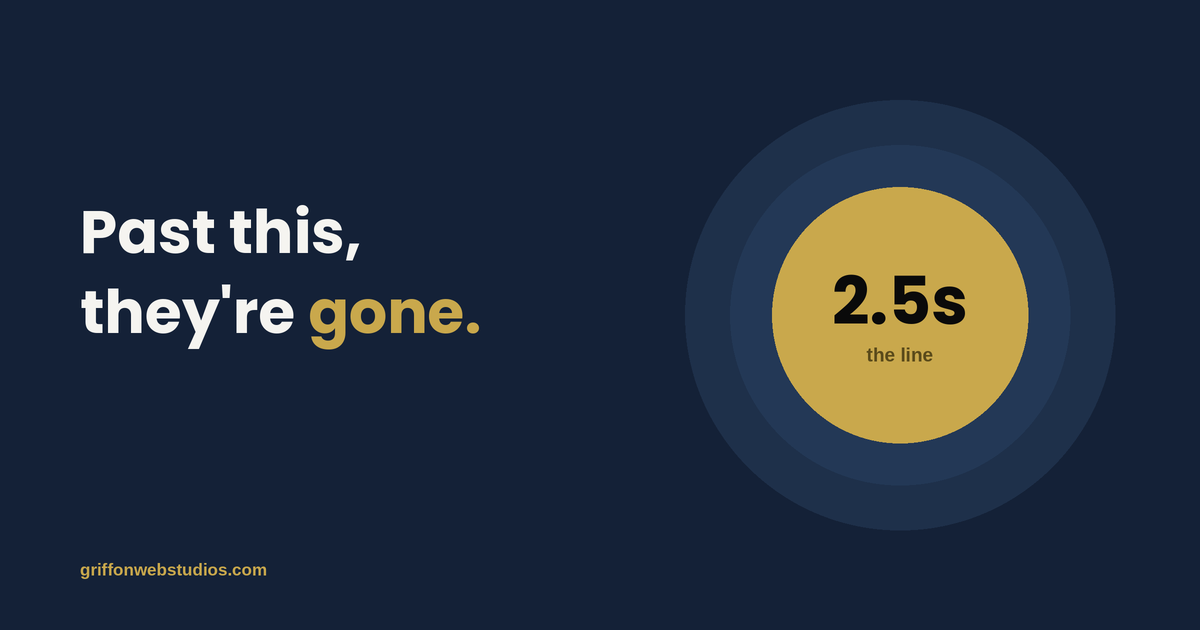
1. A visitor can’t tell what you do or who it’s for in five seconds

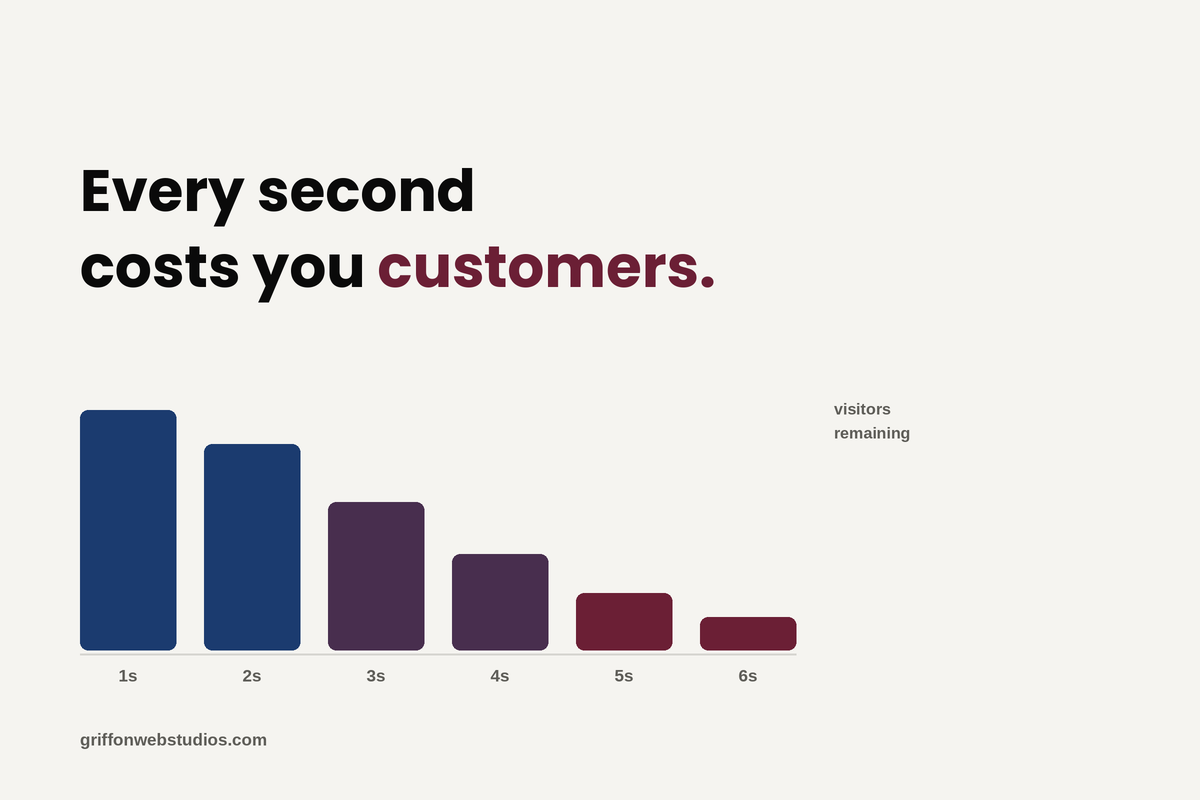
When someone lands on your homepage, they make a snap judgment: Is this for me? Do these people solve my problem? If your headline is a clever tagline, a vague mission statement, or a wall of “we’re passionate about excellence,” the answer defaults to no, and they leave.

Premium clarity beats clever every time. The strongest service-firm headlines say plainly who you help and what outcome you deliver. The visitor should feel recognized — “this is exactly my situation” — within seconds, before they’ve consciously decided to keep reading.

2. There’s no obvious next step

Many sites are beautifully designed and completely directionless. A visitor finishes reading, feels mildly interested, and then… finds nothing compelling to pull them forward. No clear call to action, or a timid one buried in the footer, or five competing buttons that each point somewhere different.

A high-converting page is built around one primary action, repeated at natural decision points as the visitor scrolls. When everything is a call to action, nothing is. Decide what you most want a visitor to do, and make that path impossible to miss.

3. You’re asking for too much, too soon

A “Request a Quote” form with eleven fields is a wall, not a door. You’re asking a stranger who’s known you for ninety seconds to commit time, share detailed information, and brace for a sales pitch, all at once. Most won’t.

Friction is the silent killer of conversion. Every extra field, every unnecessary step, every moment of “wait, what happens after I click this?” sheds a percentage of people who were genuinely interested. Ask for the minimum you need to start a conversation, and make the commitment feel small.

4. There’s nothing to make a stranger trust you

Service firms sell something invisible: expertise and judgment a prospect can’t inspect before they buy. That makes trust the entire game, and trust has to be built on the page, fast.

Sites that convert show proof rather than just claim it: real results and outcomes, client names and logos, specific testimonials that name a situation rather than gush vaguely, credentials, and the faces of the actual humans a prospect would work with. A site with no proof asks visitors to take a leap of faith, and most people don’t leap.

5. You’re attracting the wrong visitors

Sometimes the traffic genuinely is the problem, not the amount, but the fit. If your content and ads pull in people browsing for free advice, students, or buyers far outside your price range, no amount of conversion polish will turn them into clients, because they were never prospects.

This is where measurement and conversion connect. If you can’t tell which channels bring your best clients versus your most clicks, you may be optimizing your whole site for the wrong audience. (We dig into this in Marketing Attribution After Cookies.)

6. The experience is slow, clunky, or broken on mobile

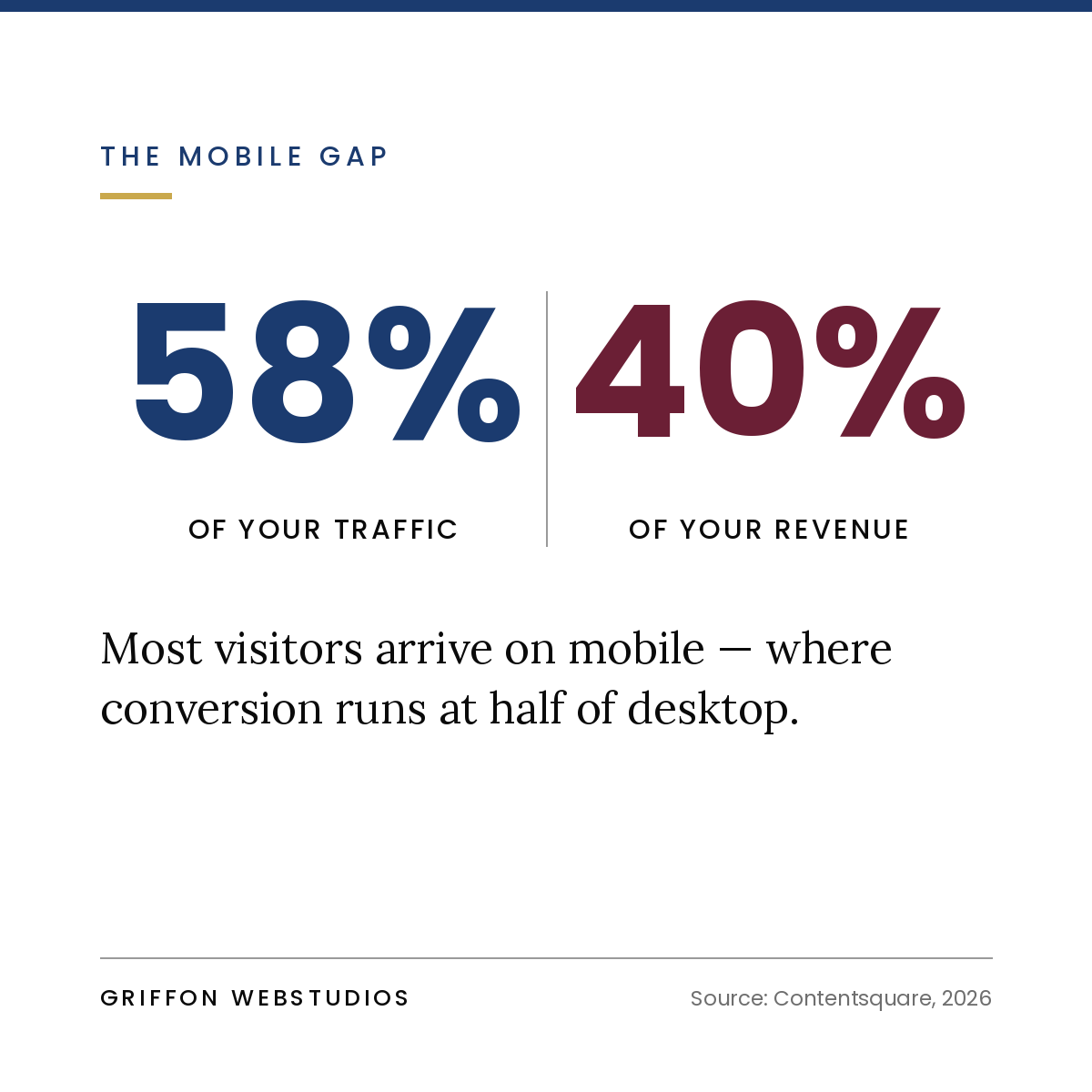
A site that loads slowly, jumps around as it renders, or falls apart on a phone bleeds conversions before a visitor reads a word. The majority of your traffic is likely on mobile, and patience there is measured in seconds. Every second of delay and every awkward tap-target is a quiet exit.

Performance isn’t a technical nicety, it’s a revenue input. A premium brand undermined by a sluggish, fiddly experience reads as careless, and carelessness is the opposite of what a service buyer is looking for.

7. There’s no path for the visitor who isn’t ready yet

Most visitors aren’t ready to book a call on their first visit. If your only call to action is “Contact Us” or “Get Started,” everyone who’s interested but not yet has exactly one option: leave and probably never return.

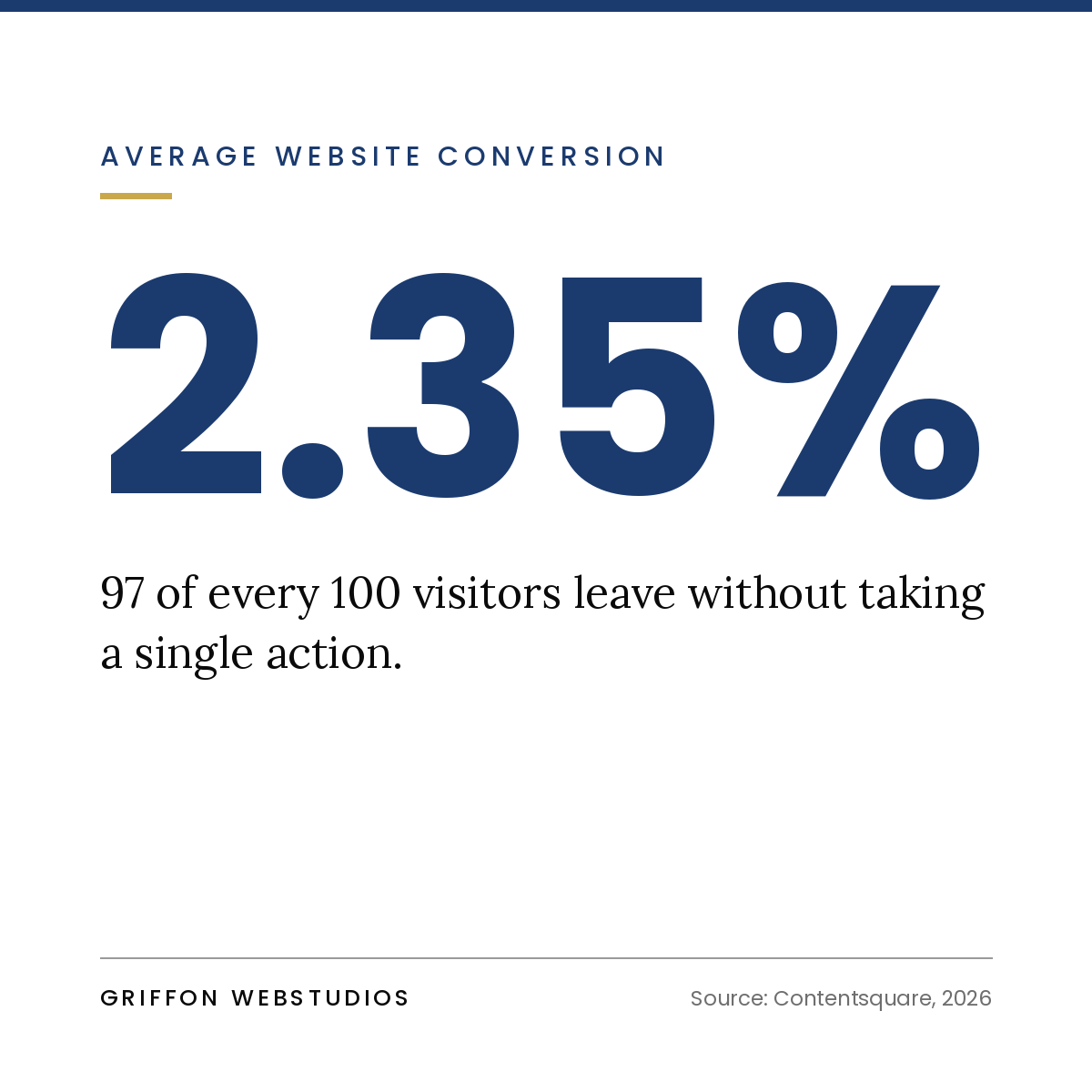
High-converting sites give the not-ready visitor a lower-commitment way to stay in your orbit, a useful guide, an assessment, a checklist, or a short email series in exchange for an email. You convert a fraction of cold visitors into known leads you can nurture, instead of losing 100% of them to the back button.

The real fix: conversion architecture, not decoration

Notice that almost none of those problems are about how the site looks. They’re about how it’s built to move someone — from arrival to recognition to trust to a small first commitment to a conversation.

That’s conversion architecture: designing the journey rather than decorating the pages. It treats every section as a step with a job to do — earn attention, build trust, handle an objection, reduce friction, prompt action — and arranges them in the order a real human actually makes a decision. Aesthetics still matter enormously, especially for a premium brand, but beautiful and persuasive are different skills, and a site needs both. A gorgeous site that doesn’t convert is a portfolio piece, not a business asset.

How to diagnose your own site this week

You can pressure-test your site without any tools:

  • The five-second test. Show your homepage to someone unfamiliar with your business for five seconds, then ask what you do and who you help. If they can’t answer, your headline is the first problem.
  • The squint test. Blur your eyes on each key page. Can you still spot the primary call to action? If it doesn’t stand out when blurred, it doesn’t stand out to a scanning visitor either.
  • The friction count. Open your main inquiry form and count the fields and steps. Then ask which of those you truly need to start a conversation. Cut the rest.
  • The proof audit. On your most important pages, count the concrete trust signals — real results, named testimonials, logos, faces. If it’s thin, that’s where hesitation is winning.
  • The phone check. Go through your entire conversion path on your own phone, on a normal connection. Every moment that annoys you annoys your prospects even more.

The bottom line

If your website gets traffic but no leads, resist the urge to buy more traffic. You’d just be paying more to lose the same people at the same leak. The leverage lies in the conversion gap — the distance between a visitor arriving and a visitor acting — and closing it is a matter of clarity, trust, friction, and a deliberately designed path.

Get that right, and the traffic you already have starts producing leads it never did before. That’s not a bigger marketing budget. That’s the same budget finally doing its job.


At Griffon Webstudios, we design websites as conversion systems, not just beautiful pages — built around the journey from first visit to qualified inquiry. If your site is busy but quiet, let’s find the leak and fix it.

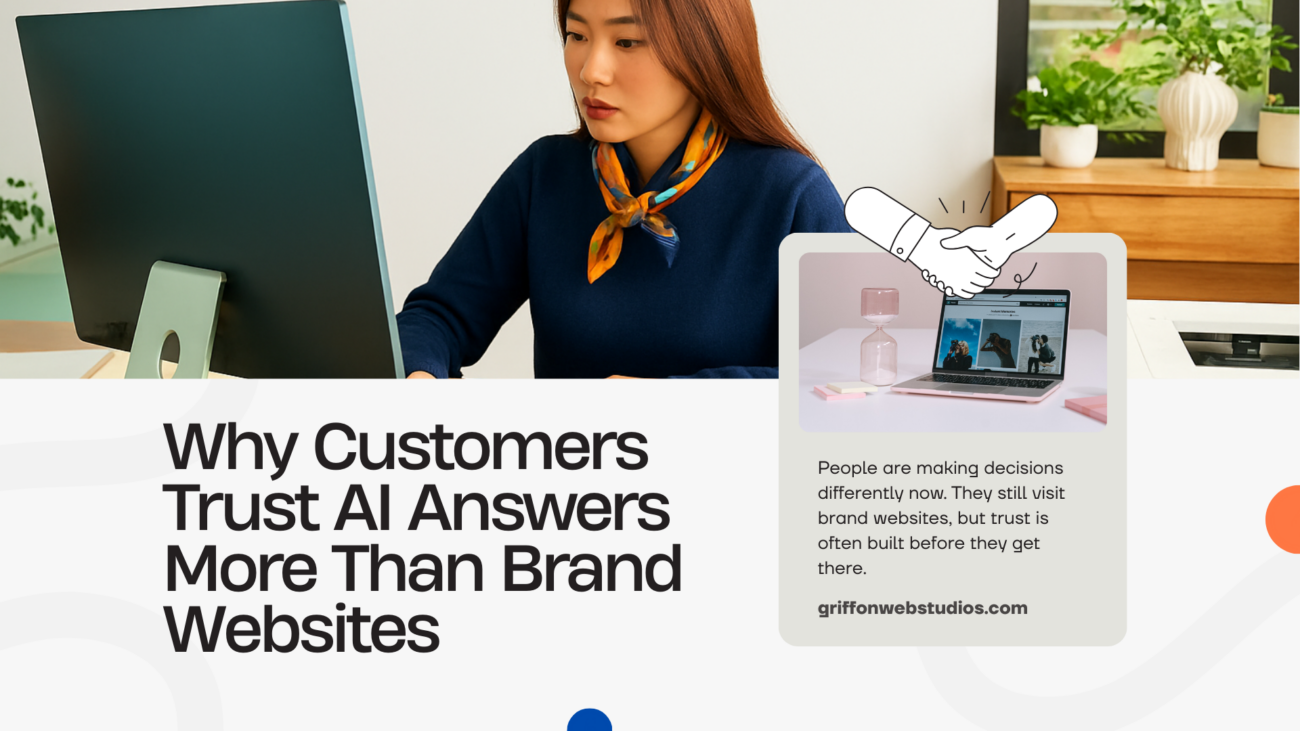
Why Customers Trust AI Answers More Than Brand Websites

Why Customers Trust AI Answers More Than Brand Websites

People are making decisions differently now. They still visit brand websites, but trust is often built before they get there. Most people use AI tools, search summaries, and quick answers to sort through their options. They read, compare, and narrow things down before ever clicking through to a brand’s site. By the time they arrive, they’ve usually made up their minds or are close to it.
This is a crisis of trust, not technology.

AI feels neutral. Brand websites don’t.

When someone visits a brand’s website, it’s obvious the content is written by the brand. The goal is to persuade. Even if the facts are accurate, the intent is clear.
AI answers feel different.
AI answers show up as summaries, comparisons, or explanations, not sales pitches. There’s no call to action, no banners, no obvious sales talk. The tone feels neutral and balanced. Whether that’s truly the case is another question, but the perception of neutrality is what matters here.
People tend to trust information they see as objective, especially when they’re comparing options.

Speed and effort matter more than depth

AI answers build trust by making the process simpler and helping users understand information more easily.
Reading several long blog posts, learning marketing terms, and comparing product features takes a lot of time. AI tools can create short summaries, saving users from extra work. The answer just needs to be good enough for a decision, even if it’s not perfect.
People don’t need detailed research results in their searches anymore. They want:
  • clarity
  • direction
  • reassurance
AI provides these things faster than most websites.

Customers aren’t leaving websites; they’re using them differently.

Many brands don’t see what’s really happening at this stage.
People still visit websites, but their purpose has changed. In the past, websites helped build trust. Now, they confirm trust that’s already been established.
Users feel more confident when a website matches what they’ve already seen in AI summaries, search results, or peer discussions. If the site doesn’t match, users lose trust and leave quickly.
This is why many businesses see:
  • lower time on site
  • faster decisions
  • Websites have high bounce rates because users are ready to buy.

Generic messaging collapses under AI summaries

AI tools don’t value nuance. They condense information.
When AI summarizes brand websites, it often turns unique claims into the same generic phrases like ‘full-service’ or ‘custom solutions.’ The differences between brands get lost. In the end, everyone sounds the same.
The trust between people breaks down at this point.
AI answers get more trust when brands are generic, because there’s nothing specific to work with. Brands that stick to clear, concrete details are more likely to stand out, even when information gets compressed.

Authority now travels beyond owned platforms

Authority used to live on your own website. Now, it’s spread across many channels.
It shows up in:
  • The number of times your professional expertise appears across the entire internet.
  • whether your explanations are clear enough to be summarized accurately
  • whether your brand has a recognizable point of view
People trust AI answers because they pull from many sources, not just one. If a brand only shows up on its own site, it’s hard to build real trust.

What this means for businesses

The way people interact with information is changing. Building trust now means meeting people where they are, not forcing them through extra steps.
That means:
  • explaining what you do in plain, specific language
  • avoiding inflated or interchangeable claims
  • What you say on your website should line up with how you describe your brand everywhere else.
  • Website design should help people do what they already want to do, not make them change how they work.
Trust now forms upstream. Websites that assume users are starting from zero are out of sync with reality.

The quiet opportunity

The brands that succeed in this environment won’t be the loudest. They’ll be the clearest.
Their value will be clear, even after information gets compressed. Their online presence will reach people who already know what they offer.
Now, the focus is on connecting strategy, messaging, and user experience so the digital presence actually works.
We’ve seen this play out with our clients at Griffon Webstudios. When websites confirm what people already know rather than over-explain, trust goes up, and conversion rates improve, even if traffic patterns change.
49 FAQs on Website Development

49 Website Development FAQs, Answered.

1. What does “website development” actually include?

Website development includes planning, design, structure, content layout, features, performance, security, and ongoing maintenance. It’s about both how a site looks and how well it works to achieve your goals.

2. Do I really need a custom website, or is a template enough?

Templates are fine for basic needs. If you want strong branding, better conversions, room to grow, or to stand out from competitors, a custom website is a better choice.

3. How often should a business redesign its website?

Most businesses should review their website every 3 to 5 years, or sooner if customer needs, services, or competitors change.

4. Is my website a marketing tool or just an online presence?

A modern website should support marketing and sales, not just serve as an online brochure. If it doesn’t bring in leads or sales, it’s not doing its job.

3 new websites are built every second, with 250,000+ new websites created every day (Forbes)

Cost & Budget FAQs

5. How much does a website typically cost?

Our website project costs often start at $2,000, but the price depends on design, features, integrations, e-commerce, content, and performance needs.

6. Why is there such a big price difference between websites?

Prices vary a lot because every website has different needs. A simple informational site costs much less than a site built for conversions, with integrations, automation, and custom user experience.

7. Is a cheaper website always a bad idea?

Not always. Cheaper websites can work for new businesses or simple needs. Problems come up when you expect a lot but don’t have the budget for it.

8. Are there ongoing costs after launch?

Yes. You’ll need to keep paying for hosting, maintenance, updates, security, content changes, and performance checks.

Retailers lose $2.6 billion annually due to slow websites

Timeline & Process

9. How long does it take to build a website?

Most professional websites take 6 to 12 weeks to build. Bigger or more complex projects can take a few months.

10. What are the first steps in a website development project?

First, you need to understand your goals, audience, messaging, and how people will convert. Design and development start once you have this clarity.

11. Will I need to provide content, or is that handled for me?

It depends on your agreement. Some projects include writing content, while others help improve or organize what you already have.

12. Can my website be built in phases?

Yes. Many businesses launch a basic version first, then add more features, pages, or integrations over time.

Around 90% of websites have implemented responsive design

Design & User Experience

13. What makes a website “modern” today?

Modern websites focus on speed, clear content, mobile-friendly design, easy navigation, trust signals, and layouts that help users take action. Flashy visuals are less important.

14. Does design really affect conversions?

Yes. Bad design can confuse visitors and make them hesitate. Good design makes things easier and helps people trust your site.

15. How important is mobile optimization?

It’s very important. Most people visit websites on their phones first, and a bad mobile experience can lower your sales and search rankings.
An easy-to-use mobile site will make 79% of people more likely to revisit and/or share it. 

SEO, Performance & Visibility

16. Will my website be SEO-friendly from day one?

It should be. Good SEO means building in the right structure, speed, and content organization from the start, not adding them later.

17. Does website speed really matter?

Yes. Slow websites drive users away, reduce sales, and harm your search rankings.

18. How does my website affect Google rankings?

Your site’s structure, speed, clear content, mobile-friendliness, and technical setup all affect how you rank on Google.

Websites with responsive design achieve 11% higher conversion rates

E-commerce FAQs

19. Do e-commerce customers still need to visit my site if zero-click is rising?

Yes, but most customers make up their minds before they visit. Your website’s main job is to confirm their choice, not to convince them.

20. What makes an e-commerce website convert better?

A good e-commerce site has clear product details, loads quickly, offers an easy checkout, builds trust, and removes obstacles for buyers.

21. Why do e-commerce visitors leave without buying?

People often leave without buying because prices aren’t clear, the site is slow, there aren’t enough trust signals, or the checkout is confusing.

22. Should e-commerce sites focus more on design or speed?

Speed is usually more important. A fast, simple website often works better than a beautiful but slow one.

23. How many steps should checkout have?

Keep checkout steps to a minimum. The more steps there are, the more likely people are to leave before buying.

24. Do product descriptions really matter?

Yes. Clear and honest product descriptions help customers feel confident and reduce returns.

22% of online shoppers will return items because the product photo looks different than the actual product (Results Imagery)

DIY vs Professional Help

25. Can I update my website myself after launch?

You should be able to handle basic updates, such as text and images. Structural changes usually need professional input.

26. When should I hire a professional agency?

If your website is important for sales, leads, or your brand’s reputation, hiring professionals can help you avoid expensive mistakes.

27. What’s the risk of doing everything myself?

Doing everything yourself can lead to hidden user experience issues, slow performance, poor sales, and trouble growing your site later on.

50% of all consumers expect a good website to load in 3 seconds or less 

Measurement & Results

28. How do I know if my website is performing well?

Don’t just look at website traffic. Good performance means generating better leads, achieving higher conversion rates, and closing sales faster.

29. What metrics actually matter for a website?

Metrics like conversion rate, user engagement, lead quality, online sales, and user behavior are more important than just counting pageviews.

30. Should my website be built for branding or lead generation?

Your website should help with both branding and lead generation, but focus on clear messaging and getting leads first. Branding is most effective when it builds trust and helps people decide.

31. How do I know what pages my website actually needs?

Decide which pages to include based on what your customers ask and how they make decisions. If a page doesn’t help someone choose or act, you might not need it.

32. Should I copy my competitors’ website structure?

Competitor research is useful, but blindly copying structure often results in generic sites. Your website should reflect how your customers think and choose.

33. Can a website fix poor marketing results on its own?

A good website can boost your results, but it can’t fix unclear messaging or weak offers. It will make whatever you already have, good or bad, more noticeable.
75% of consumers judge a brand’s credibility based on the website design.

Long-Term & Strategy

34. Can my website grow with my business?

Yes, it should. A well-built website lets you add new services, pages, integrations, and marketing strategies without starting over.

35. Is my website affected by AI and zero-click search trends?

Yes. Now, clear messaging, organized content, and strong branding are more important than ever.

36. What’s the biggest mistake businesses make with websites?

The biggest mistake is treating a website as a one-time project instead of an ongoing tool for growth.

37. How do I avoid rebuilding my site again too soon?

From the beginning, focus on clear goals, room to grow, and how real users interact with your site.

38. How does Griffon Webstudios approach website development differently?

At Griffon Webstudios, we focus on user behavior, clarity, and conversions; not just design. The goal is to ensure your site meets your audience’s needs and keeps them connected to your brand.
Mobile devices bring 313% more visitors and 233% more unique visitors than desktop. 

AI, Search & Future-Proofing

39. Does AI change how websites should be built?

Yes. Websites now need clear structure, strong messaging, and good summaries so both people and AI can understand them quickly.

40. Will AI replace websites altogether?

No. Websites are still needed for building trust, handling transactions, and making sales. AI just shapes decisions before people visit your site.

41. How can my website stay relevant as search changes?

Focus on being clear, trustworthy, well-organized, and helpful. Avoid relying on tricks or shortcuts.

AI tools are boosting productivity for 81% of developers

Technology & Platform FAQs

42. Does it matter which platform my website is built on?

Yes. The platform you choose affects how your site performs, how flexible and secure it is, and what it costs over time. The best platform depends on your business needs.

43. Can I change platforms later if needed?

Yes, you can switch platforms, but it takes time and planning. Picking the right platform from the start saves money and avoids problems later.

44. How important are integrations like CRM or email tools?

Integrations are very important if your website helps with sales or marketing. They cut down on manual work and improved follow-up.

45. Should my website connect to analytics from day one?

Yes, definitely. Without analytics, you’re just guessing instead of making real improvements.
WordPress is by far the most popular CMS, with a 62.7% market share. Shopify is second with only 6.4%

Content & Messaging FAQs

46. How much content should my website have?

You need enough content to answer real questions clearly, but not so much that visitors feel overwhelmed. Clear content is always better than long content.

47. Is long-form content still useful on websites?

Yes, long-form content is useful when people need detailed information. But for many pages, short and direct answers work better.

48. Do I need blogs on my website?

Blogs are useful when they support SEO, build authority, or educate customers. Publishing without purpose usually doesn’t help.

49. Should my website content be written for humans or search engines?

Write for people first. Search engines now value clear, useful, and well-structured content more than just lots of keywords.